Welcome to EMC!

This site is a guide for surviving and thriving on the EarthMC Minecraft server.
On EMC, "Gold" (G) is the currency used for all transactions.
Start by reading the "Getting Started" section below.
🔰 Getting Started
1. Voting
Type /vote in the in-game chat.
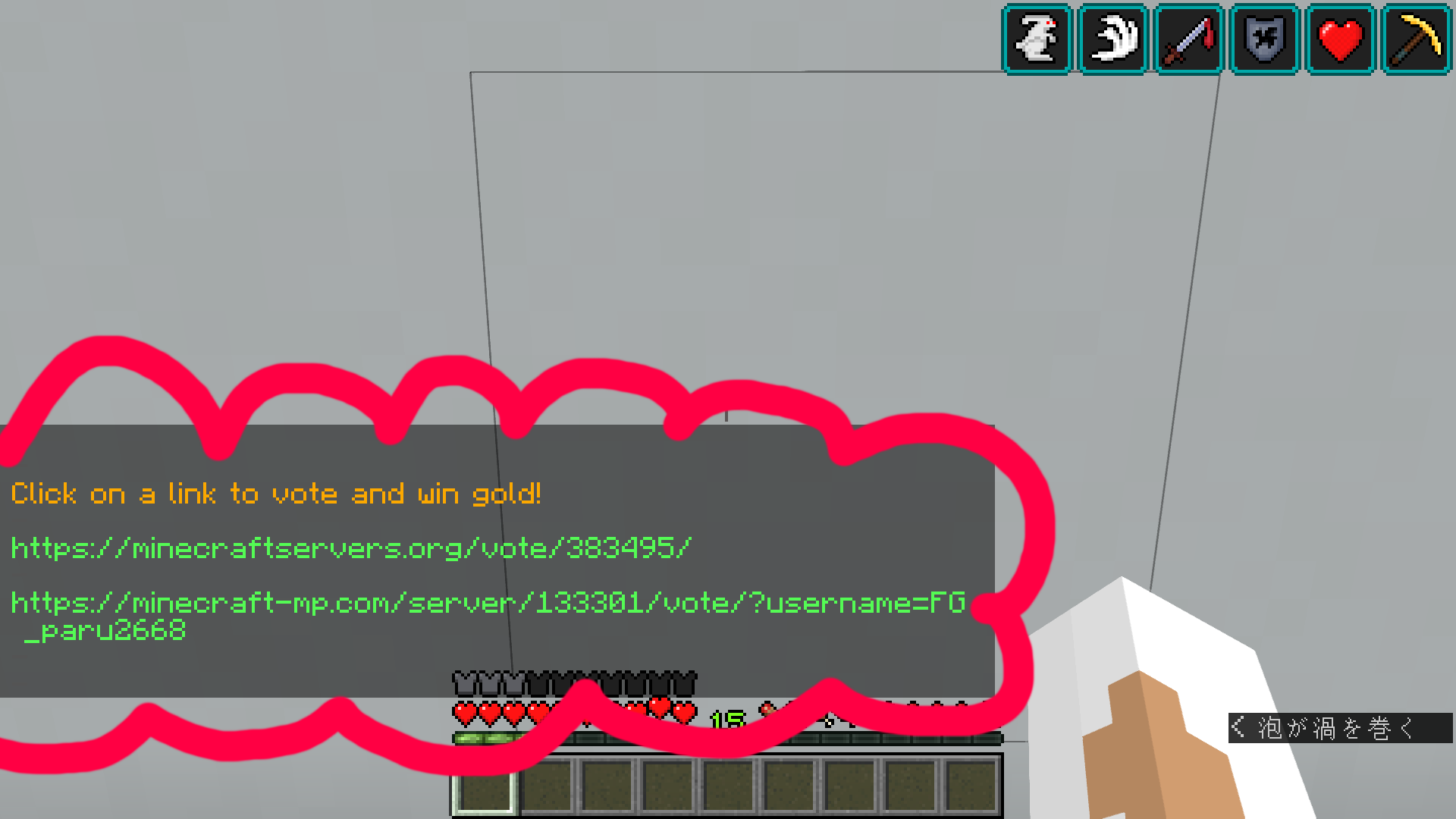
Click the URL that appears to open the voting website.

Complete the captcha ("I'm not a robot"), enter your username, and submit your vote. You can vote twice a day to receive a crate key (roulette).
2. Getting Land
Once you join a town, ask the mayor to assign you a plot of land. You cannot build or break blocks outside your own plot initially.
3. Building a Home

Once you have collected some gold from voting, build a house to serve as your base.
4. Exploring

Explore your town or visit other nations using /n spawn [Nation Name] to see their shops and
architecture.
💰 How to Earn Gold

1. Mining

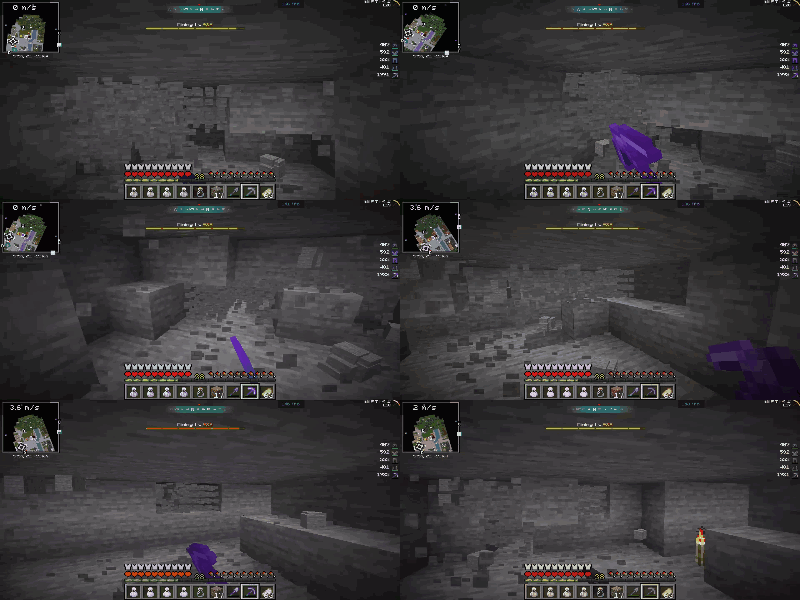
The most basic way to earn money. Mine gold in the wilderness (outside town claims). Always use an Invisibility Potion to avoid being killed by other players (PK).
⛏️ Mining Guide
Requirements:
- Efficiency V, Unbreaking III Pickaxe and Shovel
- Food
- Invisibility Potion (Essential for safety)
- Haste II Potion (For faster mining)

Steps:
- Go to the wilderness.
- Drink your Invisibility Potion immediately.
- Dig down to the recommended level (around y12 or y22).
- Use your Haste potion and mine efficiently (e.g., strip mining).
2. Trading (Shops)
Open your own shop or sell items to large buying shops (e.g., Mali, Yamato) to make a profit.
3. PvP (Player Killing)

Kill other players to steal their gear and gold. This requires high PvP skills and is very risky.
Other Methods

- Raiding (Ruins): If a town is inactive for 42 days, it falls into ruin (unclaimed). You can loot everything there.
- Gambling: Casinos exist, but you risk losing everything.
- Jobs: Some players hire others for terraforming or gathering resources.
🏪 Using Shops

Reading Shop Signs

- Seller's Name (Red if out of stock)
- Selling or Buying
- Item Name
- Price (e.g., 64 items for 1G)

✅ How to Buy

- Left-click the shop sign (or chest).
- "Shop Information" will appear in the chat.
- Type the quantity you want to buy in chat (e.g.,
1). - If successful, you will see a "Successfully purchased" message.
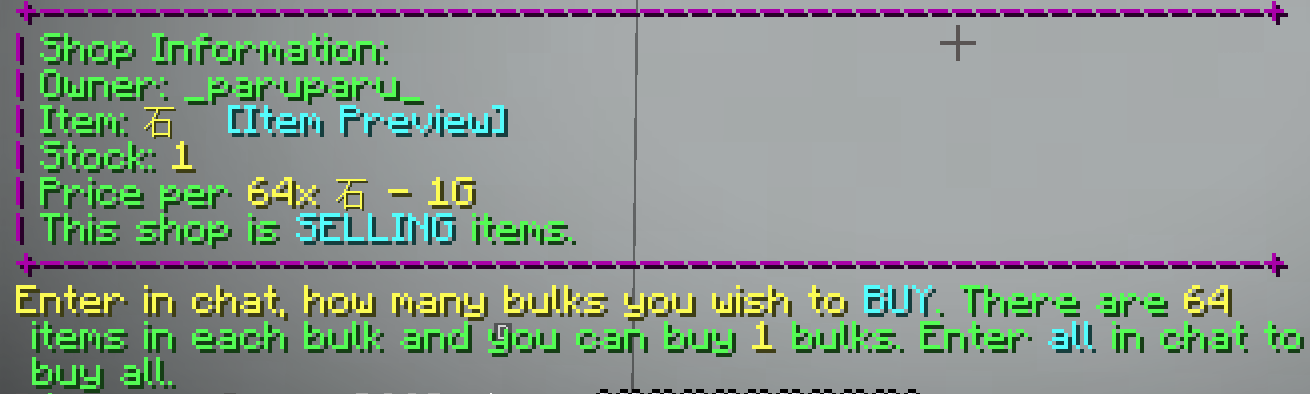
🔵 Creating a Shop
- Ask your mayor to set your plot as a SHOP plot.
- Place a chest. Hold the item you want to sell and left-click the chest with it.
- The chat will ask "Enter in chat, how much...".
- Type the price in chat.
- Stock the chest with the items to start selling.
🚫 Server Rules
Follow these rules to keep the server enjoyable for everyone.
- Cheating: Hacked clients, macros, and AFK bypasses are strictly banned.
- Alts: Using alternate accounts is not allowed.
- Chat: Spam, toxicity, hate speech, and doxxing are prohibited.
- Global Chat:
/globalis English only. Use/Japanesefor Japanese. - RMT: Real Money Trading (selling in-game items for real money) is banned.
- Griefing: Destroying claimed land or the area immediately around it is banned.
- Terraforming: Massive destruction of natural terrain (landscape scars) is prohibited.
😼 Dangers & Safety
EMC is dangerous. You must protect yourself.
Danger 1: Losing Items
If you die, you drop your items, and anyone can pick them up.
Solution: Store valuable items in an Ender Chest. Its contents are safe and private.
Danger 2: The Wilderness
In the wilderness (unclaimed land), PvP is enabled. Your location is also visible on the dynamic map.
Solution:
- Avoid walking in the wilderness (use
/n spawn). - Don't carry valuables if you must go.
- Drink an Invisibility Potion to hide from the map.
Danger 3: Scams & Traps
Players may try to lure you into PvP zones or traps using chat commands (/tell).
Solution: Do not trust strangers asking you to teleport or follow them.
💻 Useful Commands
Basic Commands
/n spawn [Name] : Teleport to a nation
/n spawn : Teleport to your nation's capital
/t spawn : Teleport to your town
/tell [Name] [Message] : Send a private message
/r [Message] : Reply to the last private message
/vote : Show voting links
Chat Channels
/tc : Town Chat
/nc : Nation Chat
/global : Global Chat (English only)
/Japanese : Japanese Chat
Useful Links
- Official Site:
https://earthmc.net/ - Map:
https://earthmc.net/map/ - Wiki:
https://earthmc.fandom.com/wiki/Commands
🤔 FAQ
- Q: I don't understand English!
- A: Use a translation tool like DeepL or Google Translate.
- Q: Where can I buy [Item]? How much is it?
- A: Check large shop towns like Yamato or Mali. Prices vary by shop.
- Q: I died and lost my stuff.
- A: Items are not restored. Be more careful next time and read the Safety section.
- Q: What is a "VP"?
- A: Vote Party. When the server reaches a certain number of votes, everyone online
gets a crate key. Check progress with
/vp. - Q: I'm stuck in a town!
- A: Try
/t spawnor/n spawn. If that fails, open a ticket on the official Discord.
🖱️ Recommended Clients
Clients are modpacks that improve performance and add features.
1. Badlion Client
Rating: ⭐⭐⭐
Many mods and a clean UI. Includes Fullbright (Night Vision).
2. Lunar Client
Rating: ⭐⭐⭐⭐
Very lightweight and boosts FPS. Great for older PCs. Includes
Fullbright.
3. Feather Client
Rating: ⭐⭐⭐⭐⭐
Lightweight and allows you to add your own Fabric/Forge mods easily.
🥱 Endgame Content
Bored? Try these activities:
- Running a Shop Empire
- Ruins Hunting (Raiding)
- World Travel (Visit all nations)
- Grinding MCMMO Levels
- PvP (Arena or Wilderness hunting)
- Map Art Creation
👑 Advanced Guide
🤴 For Mayors & Kings
Creating a Town: Use /t create [Name] (Costs 64G).
Permissions (Critical):
- Incorrect permissions can lead to theft.
- Immediately run
/t perm offafter creating a town. - Manage permissions carefully (Build, Destroy, Switch, ItemUse) for each group (Resident, Ally, Outsider).
💎 Premium (Rank)
Support the server for perks (approx. €9/month).
Perks:
- Priority Queue (Join faster)
- Create Parties (Great for MCMMO)
- Double Ender Chest size
/nicknamecommand
How to Buy:
- Go to the EarthMC Store.
- Select "Premium".
- Enter your Minecraft Username.
- Complete payment via PayPal or Card.